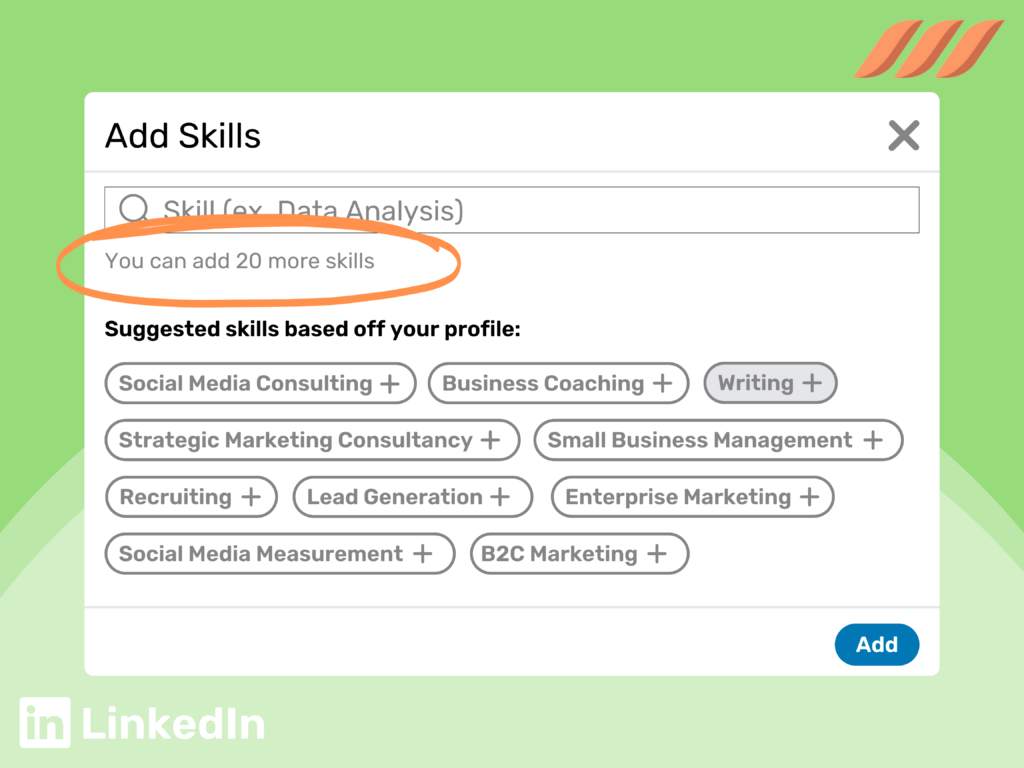
In today’s job market, your LinkedIn profile is more than a digital resume—it’s a billboard where you can tell recruiters you have the skill, motivation, and culture fit they seek. Interesting content, coupled with the right keywords, will help you attract and engage recruiters.
But how do you know what keywords to use? “Skills Match”!
You Need to Know…
When recruiters search for candidates, they filter results by using job descriptions and keywords. If your profile lacks the right keywords, you might be invisible to them—even if you’re the perfect candidate.
The Skills Match tool helps bridge that gap by analyzing job postings, comparing them to your profile, and highlighting your skill alignment.
***The Skills Match feature doesn’t require Premium, but it’s also not available on all jobs. If you don’t see it, it’s not available on that particular post. Check some other job posts.***
How to Use the Skills Match Tool
- Go to LinkedIn’s Jobs Section
- Click on the “Jobs” icon at the top of your LinkedIn homepage.
- Search for a Job That Interests You
- Type in a job title and location, then select a listing that seems like a good fit.
- Look for the Skills Match Section
- Beneath the job title, location, and salary, you’ll find a section showing how your skills compare to what the employer is looking for.
- Identify Missing Skills
- If a skill is missing, LinkedIn will suggest adding it to your profile.
- Update Your Profile
- Click “Add Skill” to update your profile instantly.
- Weave these skills into your job descriptions, About section, and LinkedIn headline for an even stronger impact.
- Hint! If you frequently see a skill you don’t yet possess, take a class or certification!
What to Expect After Updating Your Skills
🔹 Increased Profile Views – Recruiters search for candidates using skills-based filters. The more aligned your profile is with the right skills, the higher you appear in search results.
🔹 More InMail Messages from Recruiters – When your profile matches job descriptions more closely, recruiters are more likely to reach out.
🔹 Better Job Matches – LinkedIn’s algorithm will suggest more relevant job openings based on your newly added skills.
🔹 Higher ATS Compatibility – Many companies use LinkedIn profile imports for their applicant tracking systems (ATS). A keyword-rich profile increases your chances of passing automated screenings.
Pro Tips for Maximizing Your LinkedIn Profile’s Potential
✅ Prioritize In-Demand Skills – If a skill appears frequently in job descriptions for your target role, it’s a must-have.
✅ Endorsements Matter – Once you add skills, ask colleagues to endorse them to boost credibility.
✅ Show Proof – If you list “SEO” as a skill, include metrics in your job descriptions: “Increased organic traffic by 150% in six months.”
✅ Stay Updated – Revisit job postings regularly and refresh your skills accordingly.
Final Thoughts
The Skills Match tool is one of LinkedIn’s most powerful yet underutilized features. Leveraging it can dramatically increase your visibility and attract more opportunities.
Note that you can write in any skills you want, but by using skills offered by LinkedIn as you start to type in the skill (rather than whatever random skill you’re thinking of), you’ll have a much better chance of recruiters finding you.
Want help optimizing your LinkedIn profile for recruiters?
Visit www.kyladuffy.com, and let’s get you noticed!
Happy job hunting!