Picture this (an illustration, not a real client): you open the resume you wrote six years ago, add your current job to the top, nudge a few dates, and send it to twenty openings. Two weeks later, the only email in your inbox is a newsletter from a job board. The update took an hour. The silence is taking a lot longer.
So here’s the direct answer. The clearest signs you need a new resume, not just an update, are a gap between your resume and the level or direction of the job you want, bullets that list duties instead of results, a format built for an older hiring process, and steady silence from jobs you’re qualified for. If two or more of those sound familiar, adding a line won’t fix it. The foundation needs rebuilding.
(The good news: you can figure out which camp you’re in within about ten minutes.)
Update vs. Replace: What’s Actually Different?
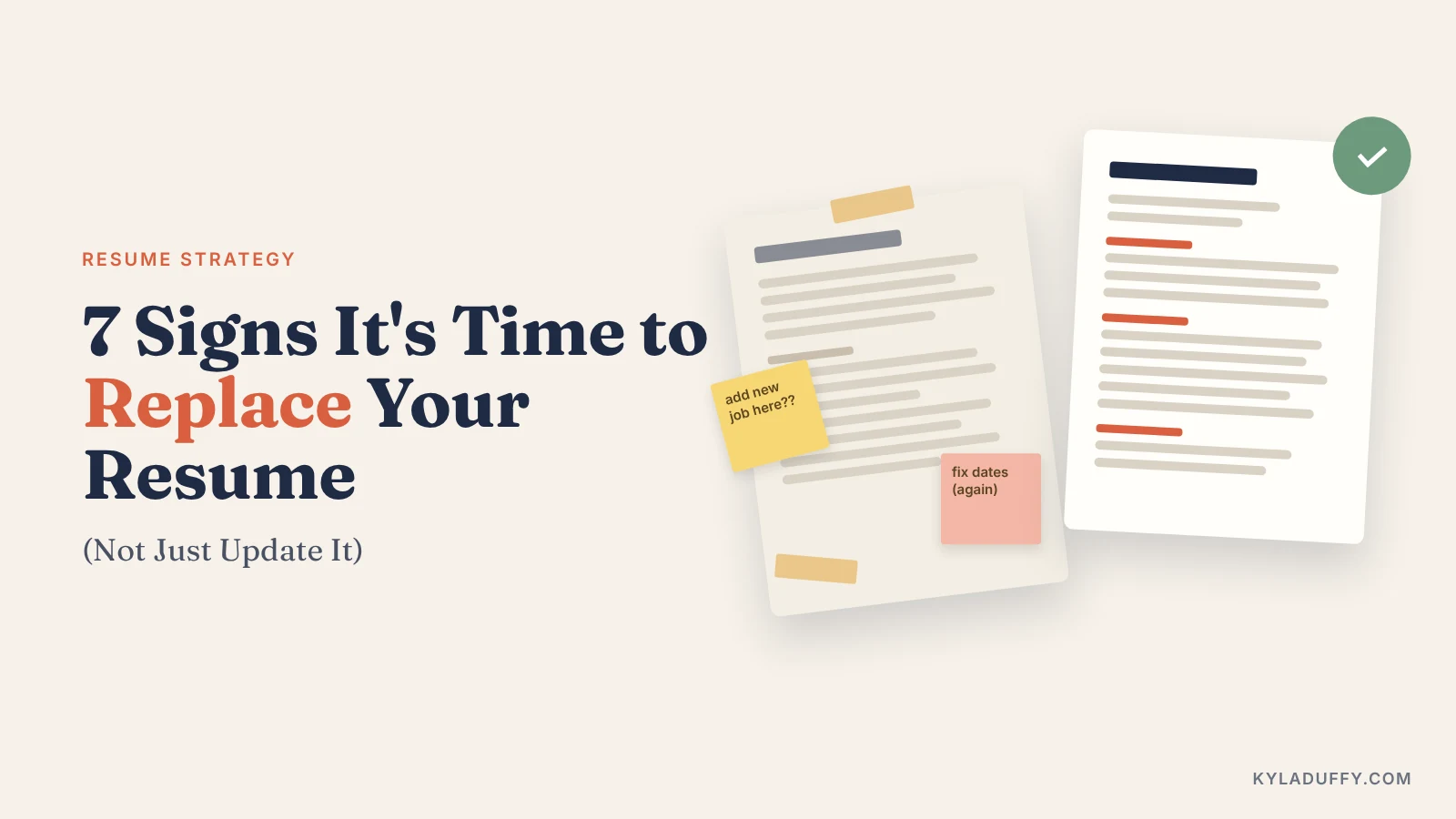
A resume update adds new information to the structure you already have: a new job, a new certification, fresh dates. A resume rewrite (or replacement) starts with the job you want next and rebuilds the document around it. New summary, new choice of bullets, and often a new format.
Think of it as repainting a room versus moving the walls. Both are useful. Only one fixes a bad floor plan.
Most people default to updating because it feels faster and less daunting. That’s fair. But an update by addition keeps every old assumption in place: the old target, the old level, the old way of describing your work. If those assumptions still hold, great. If they don’t, you’re polishing a document that’s pointed in the wrong direction.
If you’re already weighing the service side of this decision, I compare the two options in resume rewrite vs. a brand-new resume. This post is the step before that: working out whether your resume needs a rewrite at all.
The seven signs at a glance. Two or more usually means it’s time for a rewrite.
7 Signs You Need a New Resume
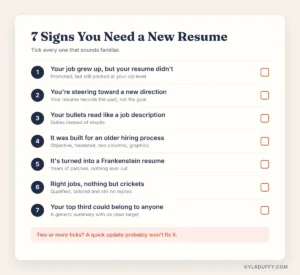
Sign 1: Your Job Grew Up, but Your Resume Didn’t
What it looks like: You’ve been promoted, maybe twice. You now manage people, a budget, or a whole program. Yet your summary still describes the person you were three jobs ago, and your newest bullets sit on top of a document written for a more junior role.
Why a tweak won’t fix it: Recruiters judge your level from the first third of the page: the summary, the scope of your first few bullets, and your verbs (“led” versus “supported”). A new title stacked on an old-level document creates a mixed message, and mixed messages rarely get callbacks. The whole page needs to be pitched at the level you’re aiming for, which is exactly what changes in a senior-level resume.
Quick check: If a stranger read only your top third, would they guess your current level correctly?
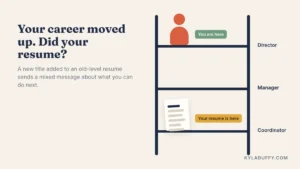
Sign 2: You’re Steering Toward a New Direction
What it looks like: You want a new industry, a new function, or a hybrid role that didn’t exist when you last job-hunted. Your resume, meanwhile, is a faithful record of where you’ve been.
Why a tweak won’t fix it: A resume for a career change isn’t a history. It’s an argument for where you’re going. Your most relevant skills are probably buried at bullet five of every job, and your old field’s jargon makes you sound like an outsider. Reordering a few lines can’t fix the story. You need a new one, built the way I describe in how to position yourself for a job hunt in a new field.
A useful trick: look up your target role in the U.S. Bureau of Labor Statistics Occupational Outlook Handbook and note the words it uses to describe the work. Those words belong on your new resume. Your old industry’s acronyms mostly don’t.
Quick check: Highlight every line a hiring manager in your new field would care about. If less than a third of the page lights up, it’s time for a rewrite.
Sign 3: Your Bullets Read Like a Job Description
What it looks like: Lots of “responsible for,” “duties included,” and “assisted with.” Your bullets explain what the job was, not what you did with it.
Why a tweak won’t fix it: Duty-based bullets are rarely a one-line problem. If one reads like a job posting, they usually all do, and fixing them means going back to find the results you never wrote down. That digging is the real work of a rewrite. It’s also where the interviews come from.
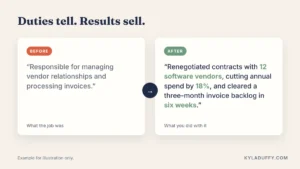
Here’s the difference (an illustration, not a real client’s resume):
Before: Responsible for managing vendor relationships and processing invoices.
After: Renegotiated contracts with 12 software vendors, cutting annual spend by 18%, and cleared a three-month invoice backlog in six weeks.
Same job, very different person. For the step-by-step method, see how to write powerful resume bullets.
Quick check: Count the bullets with a number, a result or a clear “so what.” If it’s fewer than half, update mode won’t save you.
Sign 4: It Was Built for a Hiring Process That’s Gone
What it looks like: An objective statement at the top. “References available upon request” at the bottom. A headshot, a full street address, or a two-column template with skill bars and icons. (If it also lists a fax number, I have questions.)
Why a tweak won’t fix it: Some of these are simply dated, like the resume objective statement. Others actively get in the way. Many employers use an applicant tracking system (ATS), software that collects applications, pulls resume text into a database, and lets recruiters search and filter candidates. Complex layouts, text boxes and graphics can scramble that process. The Society for Human Resource Management (SHRM) covers how much of hiring now runs through these systems.
Deleting the old pieces leaves holes, and moving a designed template into a clean, single-column layout changes nearly everything on the page. At that point, you’re rebuilding anyway. My guide to writing an ATS-friendly resume explains what a parser-safe layout looks like.
Common signs of a resume built for an older hiring process.
Quick check: Paste your resume into a plain-text document. If the order turns to soup, a robot is probably seeing the same soup.
Sign 5: It’s Turned Into a Frankenstein Resume
What it looks like: Years of patches. Three pages and counting. A job from 2011 has as many bullets as your current one. Tenses wander, fonts multiply (usually only three or four, but still), and the formatting changes halfway down page two.
Why a tweak won’t fix it: Updating by addition never subtracts. And deciding what to cut requires a clear target, which is a rewrite decision, not an update. Once you choose what the page is for, about half of it usually stops earning its spot. Current length and layout norms are covered in resume formatting for 2026.
Quick check: Does your oldest job take up as much room as your newest? If so, the page is telling the wrong story about what matters most.
Sign 6: You’re Applying to the Right Jobs and Hearing Crickets
What it looks like: You’re sending applications to roles you’re genuinely qualified for, and very little comes back. No screens, no recruiter calls, just automated rejections and silence.
Why a tweak won’t fix it: When a qualified candidate gets no response across many good-fit applications, the document is a prime suspect. But be honest with yourself first, because a resume can’t fix everything. Rule out the other usual causes: applying outside your experience, relying only on job boards, or sending one version everywhere. I walk through the full list in why your resume isn’t landing you interviews.
If you’ve ruled those out and you’re tailoring your resume to each job description and still hearing nothing, more tailoring won’t help. The base document needs replacing.
Not sure where you stand? Run your current version through my 20-point resume review checklist first. Or skip the homework and let me look at it for you. (The free review details are at the end of this post.)
Sign 7: Your Top Third Could Belong to Anyone
What it looks like: “Results-driven professional with a proven track record of success.” A skills list that would fit half your industry. Nothing that tells the reader what you’re best at or which job you’re targeting.
Why a tweak won’t fix it: The top third sets the story that everything below it has to support. Sharpen that story and every bullet underneath has to earn its place again. That’s a rewrite, even if it starts with one paragraph. To get the top right, use my guide to writing a resume summary that gets interviews.
Quick check: Cover your name. Could a colleague with a similar title have written the same summary? Then it’s not doing its job.
Update or Replace? A Side-by-Side Look
| Update | Replace (Rewrite) | |
|---|---|---|
| What changes | New job, dates, skills or certifications added | Summary, bullet choices, structure and often the format |
| Starts from | Your existing resume | The job you want next |
| Best when | Same field, same level, and you’re already getting interviews | New level, new direction, or steady silence from good-fit roles |
| Typical DIY effort | An hour or two | Several focused sessions over a few days |
| What it fixes | Missing recent information | A mismatched story, weak bullets, outdated format |
Tweak or Tear Down? How to Decide
Count how many of the seven signs you recognized. This is a rule of thumb, not a lab result, but it holds up well in practice:
- 0–1 signs: update it. Add your recent role, refresh your skills and keep going.
- 2–3 signs: rebuild the top. Rewrite your summary and your two most recent roles, and trim everything older.
- 4 or more signs: replace it. Start from your target job description and build a new document. Use the old one only as raw material.
A simple way to decide between a quick update and a full resume rewrite.
Choose a DIY rewrite if you have a few uninterrupted days, you can look at your own career with some detachment, and your main issue is format rather than story.
Choose a professional rewrite if you’re changing level or direction, you’re too close to your own work to see what’s impressive about it (almost everyone is), or you need it done well and soon. That’s what my resume and cover letter writing service is built for. Resumes run $199–$599 depending on career level (full details are on my rates page), and first drafts can arrive in as little as three days.
One more honest note. If you can’t decide what job you want next, that’s a career-planning question before it’s a resume question. Harvard Business Review’s career planning collection is a solid place to start, and career coaching can help you choose a direction before you spend time rewriting anything.
Questions I Get Asked a Lot
How often should I update my resume versus replace it?
Update it every six months or so, or after any big win, while the details are fresh. Replace it when your target changes: a new level, a new field, or a long gap since your last real job search. Many people find their resume needs a full rewrite after several years of patch-style updates.
Can I just switch to a new resume template instead of rewriting?
A new template changes how your resume looks, not what it says. If your bullets list duties or your summary is vague, a prettier layout just presents the same problems more attractively. Many design-heavy templates are also harder for applicant tracking systems to read, so choose a simple, single-column format.
How long does it take to rewrite a resume?
Doing it yourself usually takes several focused sessions over a few days, because most of the time goes into recalling and quantifying results, not typing. Working with a professional writer is often faster for you. With me, first drafts can arrive in as little as three days.
Is it worth paying someone to rewrite my resume?
It’s most worth it when you show four or more of the signs above, when you’re changing level or direction, or when a long search is costing you income. If your resume only needs an update, save your money and do it yourself. A free review is a low-risk way to find out which group you’re in.
What should I keep from my old resume when I replace it?
Keep the facts: job titles, dates, employers, certifications, and any numbers or results you’ve recorded. Treat everything else (your summary, bullet wording and layout) as raw material to be rewritten for your next target. The facts stay; the framing changes.
The Short Version
- An update adds new information; a rewrite rebuilds your resume around the job you want next.
- Two or more of the seven signs, especially a level change, a new direction or steady silence, means a tweak won’t fix it.
- Use your old resume as raw material, not as the starting structure.
If you nodded along to more than a couple of these signs, you’re not doing anything wrong. Your career simply outgrew the document that’s supposed to describe it. Seeing your own resume clearly is hard (I’d struggle with mine too), so let me give you a second pair of eyes. Send it over for a free resume review and I’ll tell you the five things I’d change first, within two business days. That way, you’ll know whether you need an hour of updating or a real rewrite.